PROJECT 01 / Cross-language & cross-cultural AI adoption
GenAI-driven Text Adaptation for GCS Interfaces
How can AI-assisted localization help operators understand a ground control interface when labels must fit a fixed layout and carry precise operational meanings?
View interface comparisons Read the structured promptResearch problem
Operators use the ground control station to interpret telemetry, recognize system states, and select commands. Localizing these labels from Chinese to English can increase text length, while shortening them can obscure the distinction between similar actions or measurements.
I wanted to understand which meanings operators needed at the point of use and how those meanings could survive the move to shorter English labels.
My contribution
I interviewed Thai and Indonesian operators to understand how they interpreted the interface and worked with Chinese engineers to identify layout and implementation constraints. I designed structured prompts that incorporated aviation terminology and label-length limits to generate candidate English abbreviations.
I used expert feedback and points of operator hesitation to revise the prompts and prototype labels. The bilingual examples below show where those constraints surface in the interface, from narrow command buttons to densely grouped telemetry fields.
How I evaluated it
Three ground control software experts reviewed the candidate abbreviations for domain meaning and system fit. In simulation tasks with 25 operators from Thailand, Indonesia, and the UAE, I observed where participants hesitated or encountered ambiguous wording. Field observations and follow-up interviews added context about how operators used the labels during their work.
Expert review addressed whether a label preserved the intended meaning. Task observation addressed whether operators could interpret that meaning in context. Together they identified wording to revisit before the next iteration.
What I would test next
I would compare candidate labels in otherwise identical simulated tasks and record action-selection errors, response time, and operators’ explanations. That would help separate the effect of wording from differences in layout or prior familiarity. I would start with commands and telemetry fields where confusing two labels could change an operator’s decision.
RESEARCH ARTIFACT / RECONSTRUCTED EXAMPLE
Structured localization prompt
This example reconstructs the prompt design described in my project materials. It shows how to generate candidate labels for expert review using aviation terminology and the space available in the interface.
ROLE
You assist with Chinese-to-English localization for a UAV ground
control station. Generate candidate UI labels for human review.

INPUTS
- Chinese label and its verified operational meaning
- Screen, flight phase, and control type (command, state, or reading)
- Related labels, units, and reference datum, where applicable
- Maximum characters, including spaces, and rendered width if available
- Relevant excerpts from ICAO Doc 8400 (PANS-ABC), with edition
  and entry, plus the engineering-reviewed project glossary

RULES
1. Preserve the intended action, state, or measurement. Preserve
   negation, units, and reference datum. Keep height above ground
   distinct from altitude above mean sea level.
2. Use an ICAO abbreviation only when a supplied Doc 8400 entry
   supports that exact meaning and its scope is appropriate.
   Otherwise use a verified project glossary term or propose a clear
   English candidate. Identify project-specific wording as such.
3. Fit the supplied character limit and check nearby labels for
   collisions. If rendered width cannot be checked, flag layout
   verification. If a clear candidate cannot fit, flag a layout
   change for review.
4. If the meaning, reference datum, or terminology is uncertain,
   return NEEDS REVIEW and state what an expert must confirm.
   Flag labels that could cause confusion between adjacent commands
   or safety-critical states.

OUTPUT FOR EACH LABEL
- Source label and confirmed meaning
- Candidate English label and character count
- Basis: ICAO entry and edition, project glossary, or plain English
- Potential ambiguity or layout issue
- Review status: CANDIDATE or NEEDS REVIEW

CHECK EXAMPLE
If a label only says “altitude” and the datum is unspecified, return
NEEDS REVIEW. Ask engineering to confirm the reference before
proposing an abbreviated label.
Doc 8400 informs terminology selection within its scope. Interface fit, operator comprehension, and release decisions require separate review. ICAO reference for Doc 8400 (PANS-ABC)
PROJECT MATERIALS
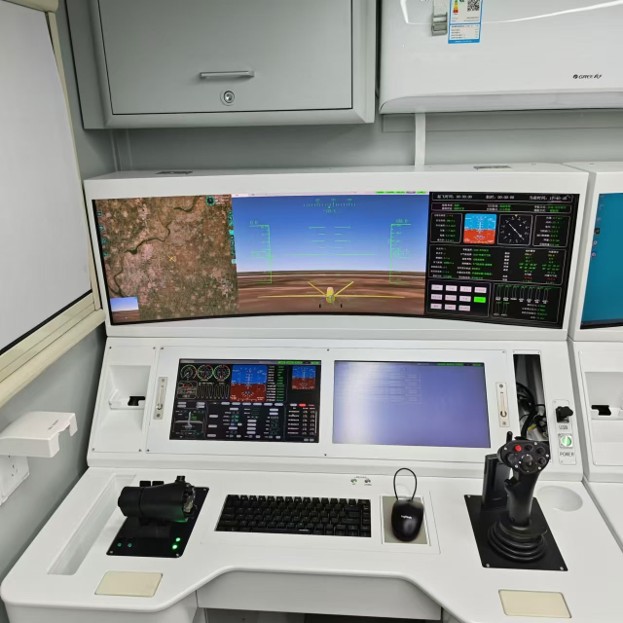
Inside the ground control station
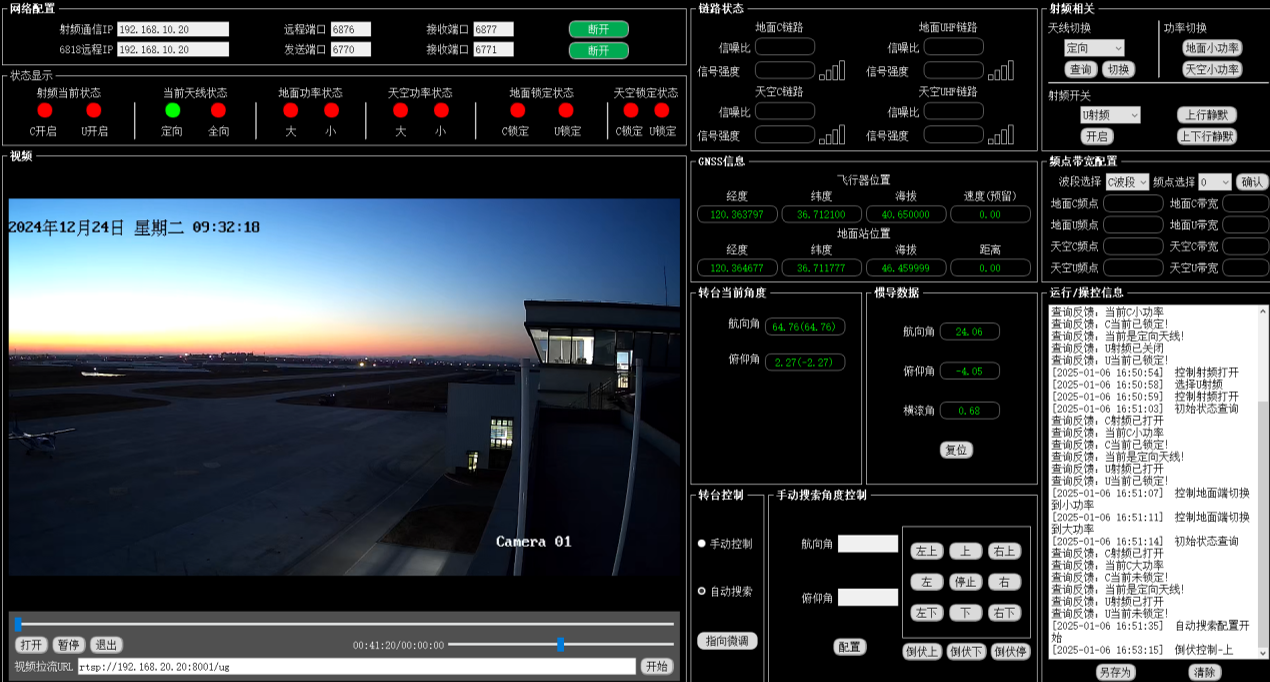
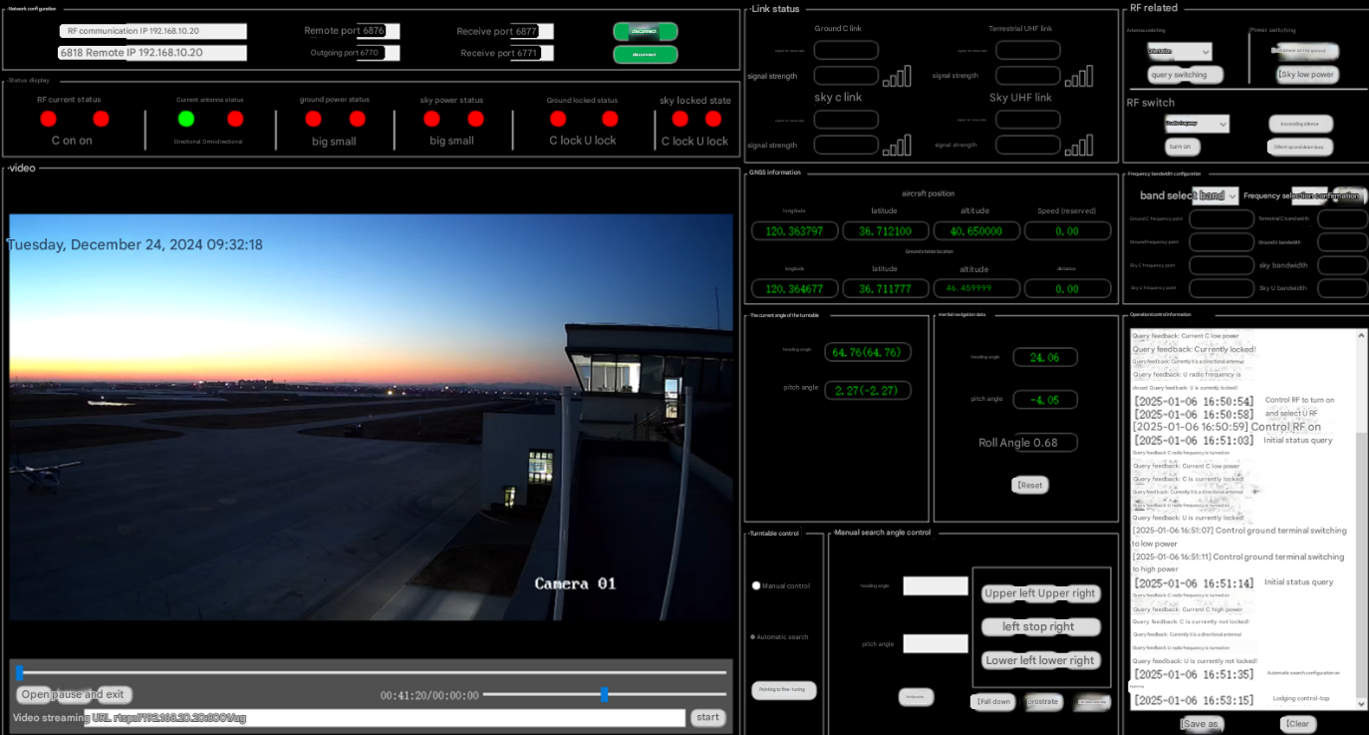
The console photo shows the operator’s workspace. The 11 Chinese–English pairs show how labels appear across displays, commands, and communications. Some pairs show different readings or screen states. The comparisons focus on wording and layout. Select any screenshot to inspect it at full size.
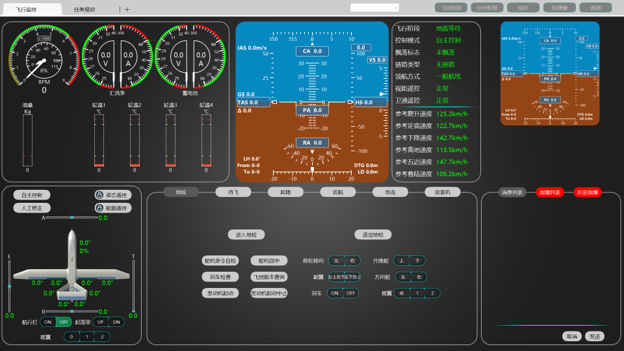
COMPARISON 01
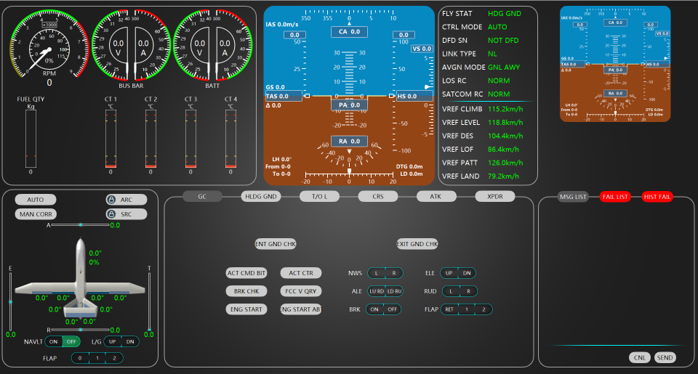
Flight operations at a glance
The overview combines instruments, flight attitude, aircraft controls, and messages. The English interface uses compact labels in the same dense operator workspace.
COMPARISON 02
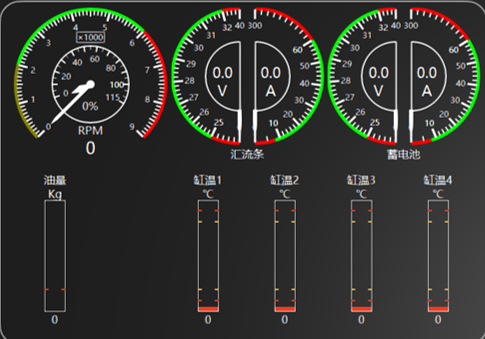
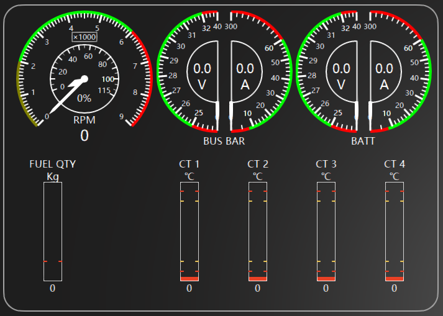
Power and electrical instruments
Labels such as BUS BAR, BATT, and FUEL QTY fit beneath the gauges and above the fuel indicator. The readings and their units remain visible alongside the abbreviated labels.
COMPARISON 03
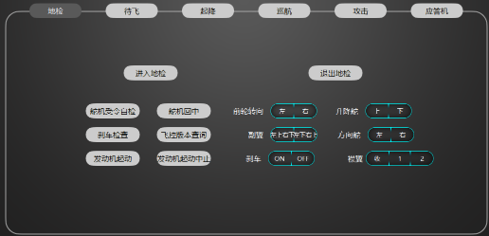
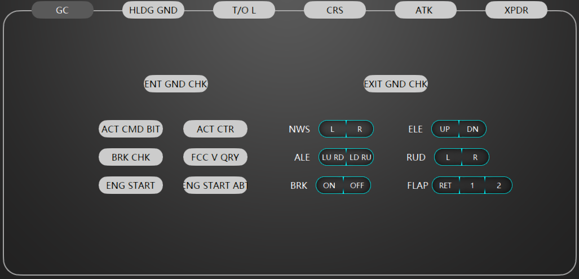
Ground-check commands
The paired controls show how repeated actions fit into narrow buttons. For example, 进入地检 appears as ENT GND CHK, paired with EXIT GND CHK for leaving the mode.
COMPARISON 04
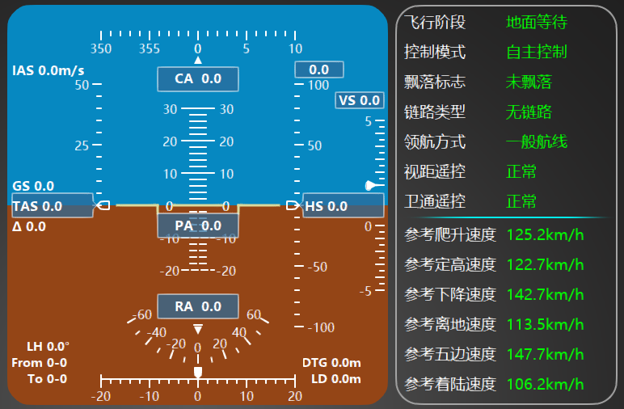
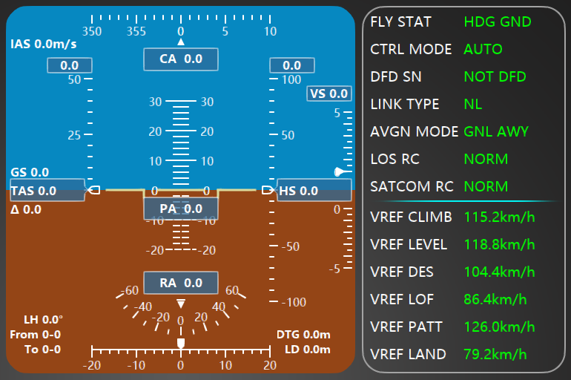
Flight attitude and telemetry
Short field labels such as FLY STAT and CTRL MODE leave room for values in the status column. The screenshots show different readings, so the comparison focuses on the labels and layout.
COMPARISON 05
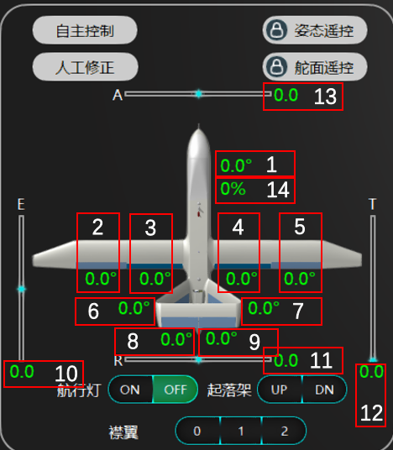
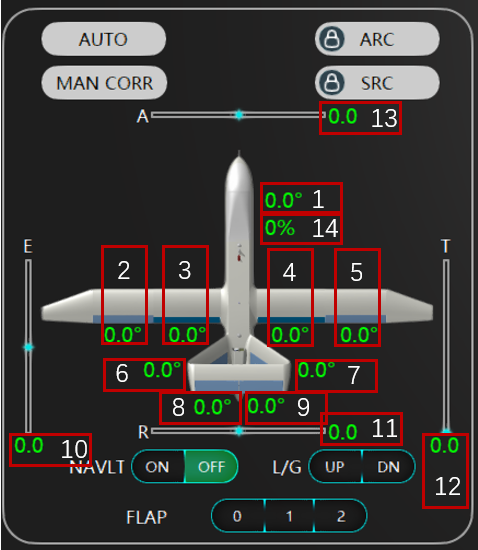
Aircraft control surfaces
The diagram keeps the aircraft and numbered readouts in view while the surrounding controls use abbreviations such as L/G and NAVLT. How easily can operators map those labels to the corresponding controls?
COMPARISON 06
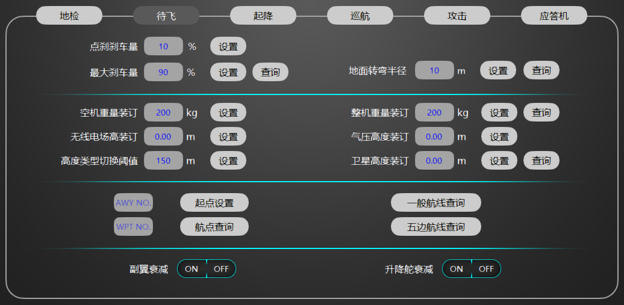
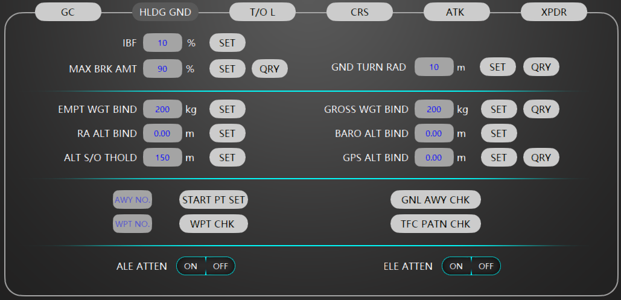
Holding on the ground
The panel brings together weight, altitude references, and route checks. Labels such as BARO ALT BIND and GPS ALT BIND show why the reference needs to remain visible when space is tight.
COMPARISON 07
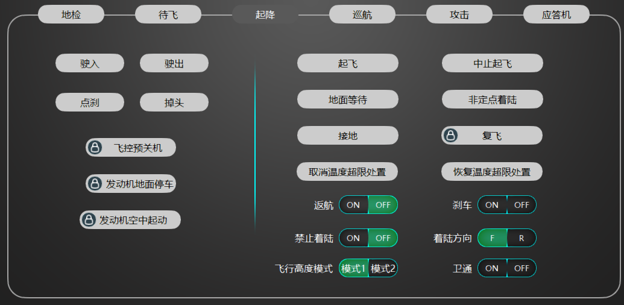
Takeoff and landing
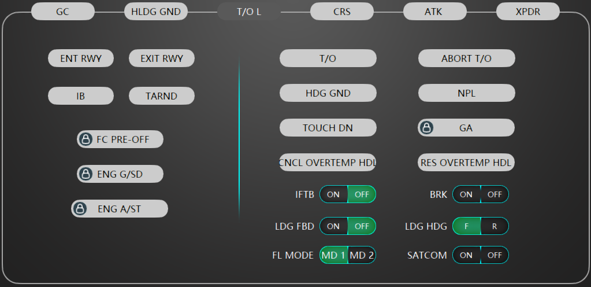
Short labels such as T/O appear alongside explicit commands such as ABORT T/O. This pairing raises a design question about how much of an action’s meaning can be abbreviated when operators must distinguish adjacent commands quickly.
COMPARISON 08
Cruise commands
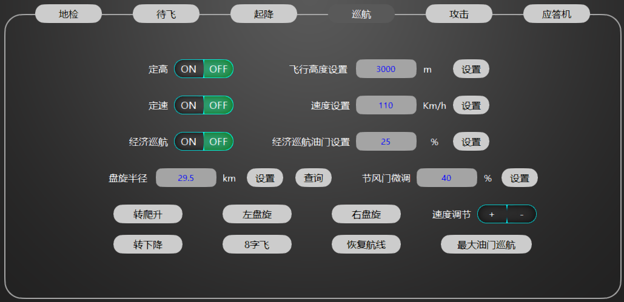
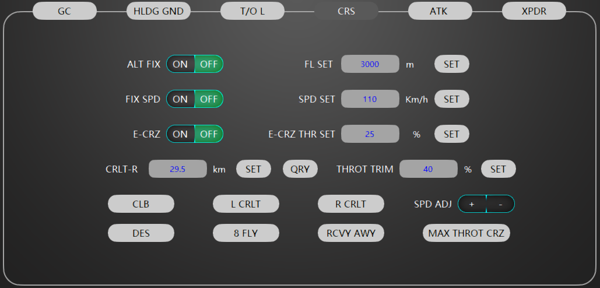
The cruise panel places speed and altitude settings alongside maneuver commands. The comparison shows where short labels must carry enough information to distinguish a setting from an action.
COMPARISON 09
Transponder controls
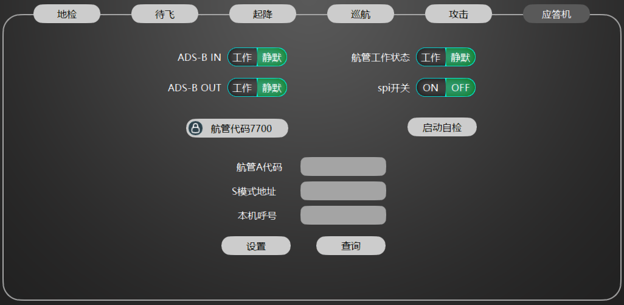
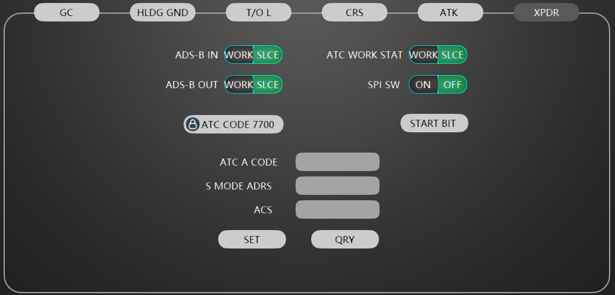
The XPDR tab combines familiar identifiers such as ADS-B with status choices and configuration fields. Keeping protocol terms recognizable leaves a separate question of how clearly the state labels read.
COMPARISON 10
Flight telemetry dashboard
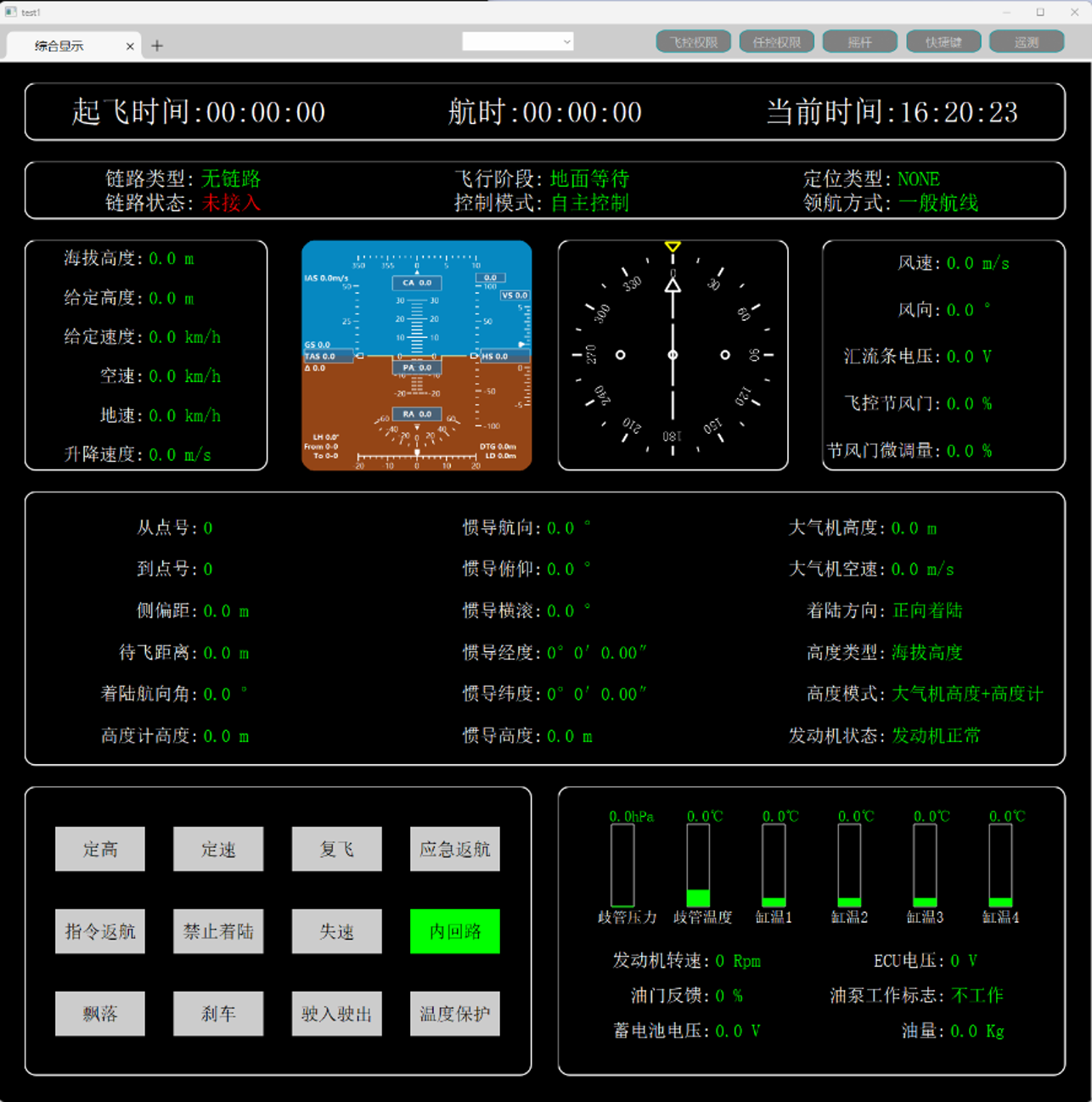
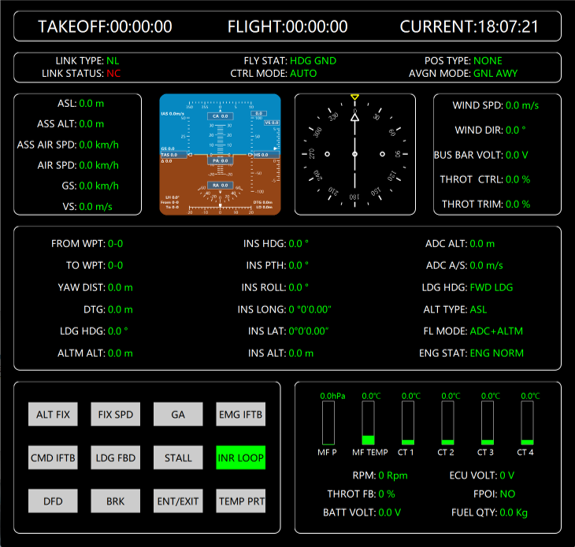
This overview groups flight state, air data, engine readings, and action controls. The labels need to remain distinguishable when operators scan across several groups of values.
COMPARISON 11
Communications link workspace
Link status, configuration, live video, and operational feedback share one screen. The comparison shows why a localization review needs to cover status text and feedback as well as buttons.